Stop chasing clients for VAT records.
CommSync prepares every VAT3 request and reminder in your fee earner's own Outlook, tracks who has replied and stops chasing the moment records arrive. You approve every send.
15 minutes. No sales presentation.
The cycle board for the May/June 2026 VAT period
VAT3 period
May/June 2026
Bi-monthly · 97 active clients · 90 inboxes
ROS deadline
23 July
7 days left
- RequestPeriod closed 64outstanding after Sent 2 Jul · 90 recipients
- ReminderRecords not yet in 31outstanding after Sent 9 Jul · 61 recipients
- Final callBefore your cut-off 31outstanding now Ready to send · 29 recipients
- OverdueBy exception only —not scheduled Held
Outstanding recipients (31)
| Client | Fee earner | |
|---|---|---|
| Coastline Joinery Ltd | marie@coastline.ie | Órla W. |
| Harrington Wholesale | accounts@harrington.ie | Órla W. |
| Kavanagh Construction Ltd | finance@kcl.ie | Hugh B. |
| Larkin Transport Ltd | office@larkintransport.ie | Hugh B. |
and 27 more
Ready to send
29
31 outstanding clients, 2 duplicate inboxes collapsed, all fee earners resolved. Nothing leaves Outlook until somebody presses this.
The cycle board. Illustrative figures on the real VAT3 calendar.
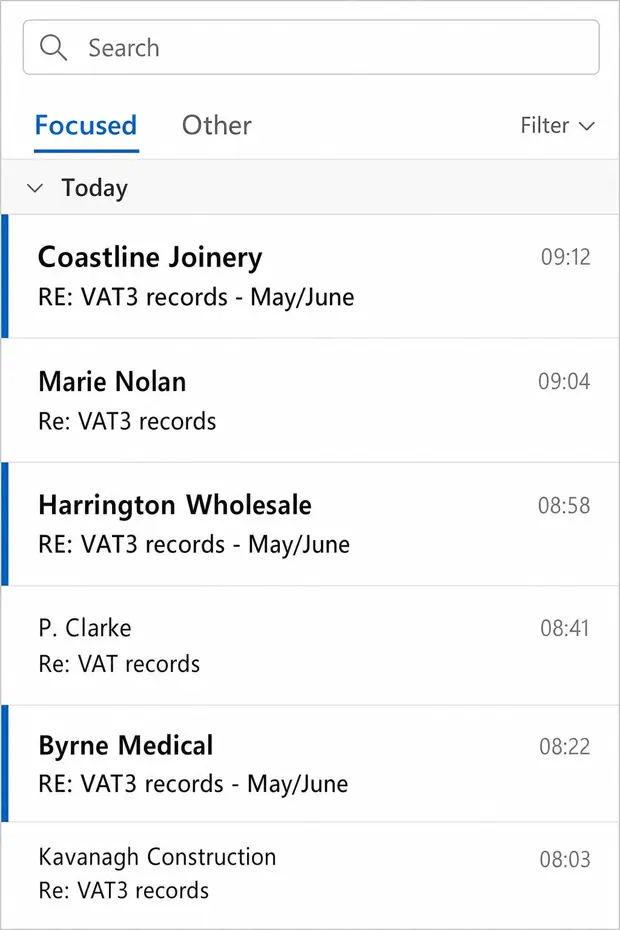
Illustrative. Names and addresses are invented.
It's the 19th.
Thirty-one clients still owe you VAT records.
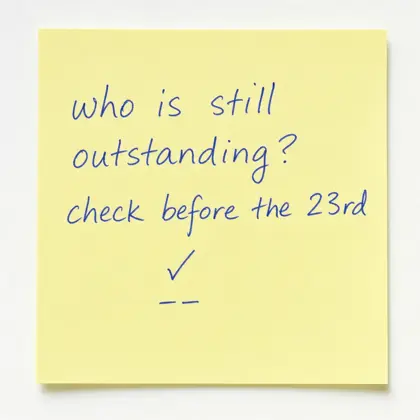
Somebody now has to work out which 31, check whether any of them already replied, write to each one, and keep that list current before the 23rd. The answer lives in two inboxes, a spreadsheet and one person's head. Then it all starts again in two months.
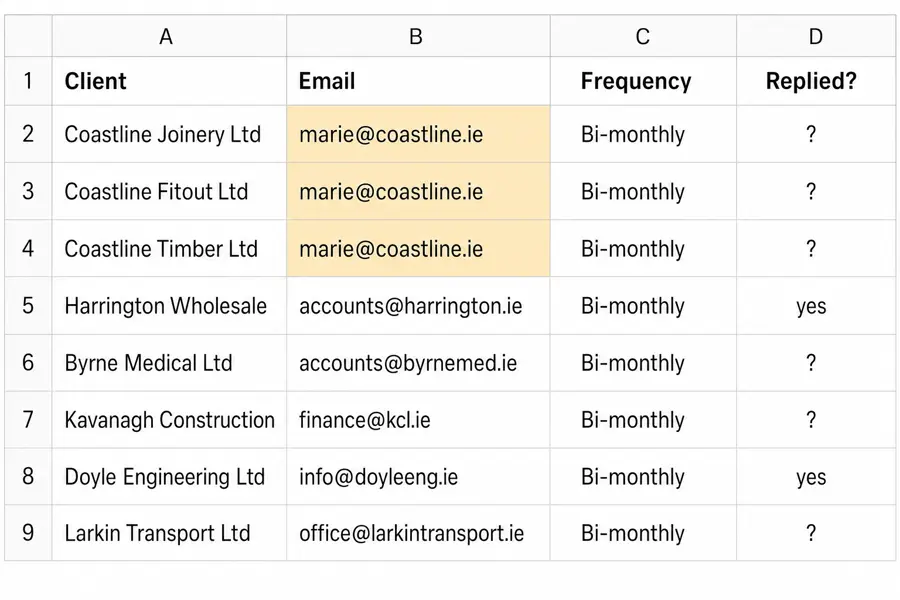
The three Coastline companies share one email address. Chase by company and Marie gets the same reminder three times before nine o'clock.
CommSync keeps one live list instead.
| Client | Stage | State |
|---|---|---|
| Coastline Joinery Ltd | Final call | Outstanding |
| Coastline Fitout Ltd | — | Same inbox, collapsed |
| Coastline Timber Ltd | — | Same inbox, collapsed |
| Harrington Wholesale | Final call | Outstanding |
| Doyle Engineering Ltd | — | Records received |
Five steps run automatically. One stays human.
The register and the Revenue calendar decide who is due. CommSync works out who is still outstanding and prepares the drafts in the right mailboxes. Then it stops and waits for a person.
-
1
Client register
Your client list, with each client's filing frequency and their fee earner.
-
2
Revenue calendar
VAT3 period ends and ROS deadlines, so stages land where they should.
-
3
Who is outstanding
Replies and confirmations remove clients. Shared addresses collapse to one send.
-
4
Drafts prepared
Written as the fee earner, in that fee earner's own Outlook mailbox.
-
5
A person approves
You see the exact recipients, the suppressions and the collapses, then send.
The human step
-
6
Replies tracked
Records arrive, the client drops out of the next stage, the list gets shorter.
One VAT period. The list gets shorter at every stage.
Each stage goes only to the clients who still have not sent records in. Nobody is chased twice, and nobody who already replied is chased at all.
-
Request
2 Jul
97outstanding
Every active bi-monthly client, from their own fee earner.
-
Reminder
9 Jul
64outstanding
Carries a confirm link, so a client can say "already sent" in one click.
-
Final call
16 Jul
31outstanding
Before your document cut-off, while there is still time to query anything odd.
-
Overdue
23 Jul
2outstanding
After the ROS deadline, by exception and opt-in only. Most cycles never need it.
Illustrative. The stage timing follows the VAT3 calendar; the counts show the shape of a cycle, not measured results.
What your client sees is an ordinary email.
- It comes from the fee earner they already deal with, through Microsoft 365.
- It sits in that person's real Sent Items, so the practice has its record.
- Replies go straight back to them. Your shared VAT inbox stays on Reply-To.
- The client never sees CommSync, and never logs in to anything.
- Three companies on one address get one email, not three.
VAT3 records for May/June — Coastline Joinery Ltd
Hi Marie,
Your VAT period for May/June has now closed. When you get a chance, could you send over the sales and purchase records for the two months so we can prepare the VAT3?
We file on ROS by 23 July, so anything with us before the 16th gives us room to query anything unusual.
Thanks,
Órla
Marie confirmed. Coastline drops out of the final call.
| Coastline Joinery Ltd | Records received |
| Harrington Wholesale | Outstanding |
| Kavanagh Construction Ltd | Outstanding |
Final call recipients: 28, down from 29.
Nothing sends until a person approves it.
Everything else runs itself. This one step does not, and will not. There is no scheduler and no queue that can fire on its own.
Approve for sending · Final call · 16 Jul 2026
Prepared by CommSync · awaiting a person
- To be sent
- 29
- Duplicate inboxes collapsed
- 2
- Suppressed
- 7
- Missing fee earner
- 0
| Client | State | Reason | |
|---|---|---|---|
| Coastline Joinery Ltd | marie@coastline.ie | Ready | — |
| Coastline Fitout Ltd | marie@coastline.ie | Collapsed | Same inbox as Coastline Joinery |
| Harrington Wholesale | accounts@harrington.ie | Ready | — |
| P. Clarke | — | Suppressed | Opted out of reminders |
Audit record: every send, suppression and approval is written down with the name of the person who approved it. The stage locks once sent, so the same stage cannot go out twice for the same period.
Opt-outs are permanent
A client who asks to be left alone is invisible to every future cycle. That is a property of the register, not a list somebody maintains.
One practice, one tenancy
Your practice gets its own isolated CommSync tenancy. No shared customer tenant, no pool where one practice's client data meets another's. Hosted and processed in the EU.
We run the cycle
Acuity operates it for you, including the register cleanup and the setup. You approve the sends and handle the replies.
No practice-management replacement. No client portal.
CommSync sits beside what you already run. Nothing your clients touch changes, and nothing your team logs into changes either.
Native, through Microsoft 365
CommSync connects through Microsoft Graph. Emails leave each fee earner's mailbox, appear in Sent Items and take normal replies. Your IT grants the permission in your own tenant, and can withdraw it.
Connected to your register
Where your source system has an API, CommSync reads the client list from it. Where it does not, we work from an agreed export or data feed.
Designed to sit alongside
Surf Accounts · Relate · Keyhouse · AccountancyManager · Bright
Named for compatibility context, not as partnerships. The connection method depends on each system's API or export, and is confirmed during setup.
It is running in an Irish practice now.
One firm, on bi-monthly VAT3. The register detail below is the kind a spreadsheet misses: a hundred clients is not a hundred emails.
The practice stays unnamed until they agree otherwise. We will publish measured outcomes only after they have been checked against the send log and approved by the firm, which is why there are no time-saved percentages on this page.
- Practice
- Irish accountancy firm, unnamed
- Module
- Bi-monthly VAT3
- Active register
- ~100 clients
- Actual inboxes
- 90 after duplicates collapse
- Sending
- Each fee earner's own Microsoft 365
- Control
- Every stage approved by a person
One setup. One monthly fee.
Configured around your register, your Microsoft 365 tenant and your Revenue calendar. The price is the same whether you have 100 clients or 600.
- Setup
- €2,500 once
- CommSync VAT
- €500 per month
- Additional modules
- €150 per month each
The setup covers
- Client register cleaned, deduplicated and configured
- Filing frequencies and the Revenue calendar
- Fee earner and shared mailbox routing
- The four-stage sequence and your email wording
- Confirm links and suppression handling
- Microsoft Graph consent, done with your IT
The monthly fee covers
- Your own dedicated EU-hosted tenancy
- Every stage prepared and operated for you
- The cycle board for the whole team
- Support through each filing cycle
The price does not change with your client numbers. Prices exclude VAT.
The same cycle, beyond VAT
Corporation tax CT1 · Income tax Form 11 · Annual return B1 · Payroll hours and changes · RCT on request
See one complete VAT cycle.
The register, the cycle board, an email arriving in Sent Items, a client confirming receipt, and that client dropping out of the next stage. Fifteen minutes, on a live cycle rather than slides.
Or email hi@vatreminders.ie directly.